Daily entry: online, offline, inside the geofence
A walkthrough of the one screen a supervisor fills every day in PoultryOS, what the app checks as he types, what happens when the signal drops, and what the owner sees before lunch.
PoultryOS Team · Product and implementation team
Every number an integrator relies on, from the running FCR on the dashboard to the growing charge at the end, starts as one entry on one phone in one shed. If that entry is late, guessed, or typed into a notebook to be copied on Sunday, nothing downstream can fix it. So the daily entry is the screen we have spent the most time on, and this post walks through it the way a supervisor meets it: open the batch, enter the day, take the photos, save, and move to the next farm.
The example is batch BR-F08-26-008 on Thorat Farm near Saswad, in the sample organisation, on day 23. It is a contract farm with approval switched on, so you also see what waits for the owner.
The morning: start the day
A supervisor’s day in the app begins on the home screen, which already tells him how the organisation stands: entries pending today, mortality today across the open batches, the running FCR against the standard, and the mortality of the last seven days.
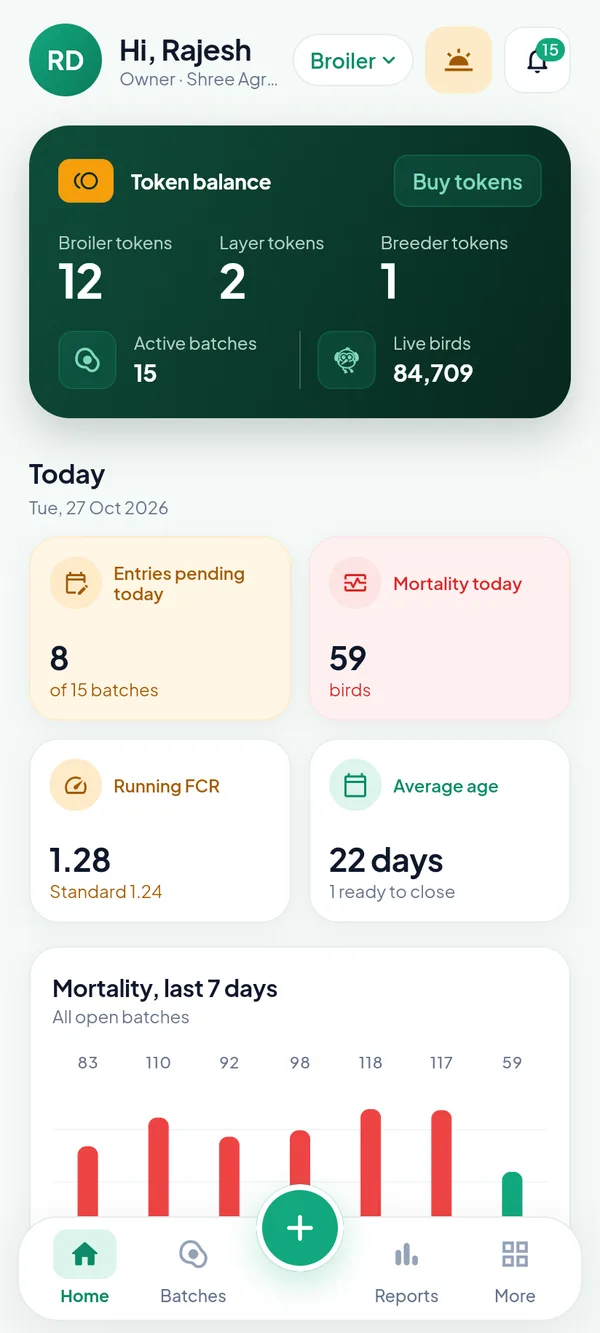
The owner’s home on 27 October. Eight of fifteen batches still have no entry for the day, and 59 birds have died so far.
Beside the alert bell sits a small chip that says whether the day is started. Tapping it opens the Day screen. With network, the supervisor takes the odometer photo, types the start reading and taps Start day. The app pulls the organisation, its masters and its settings onto the phone and says “Ready for the day’s entries”. From this moment until End day, every daily entry, treatment, task and feed delivery is saved on the phone first, whether or not there is signal in the shed.
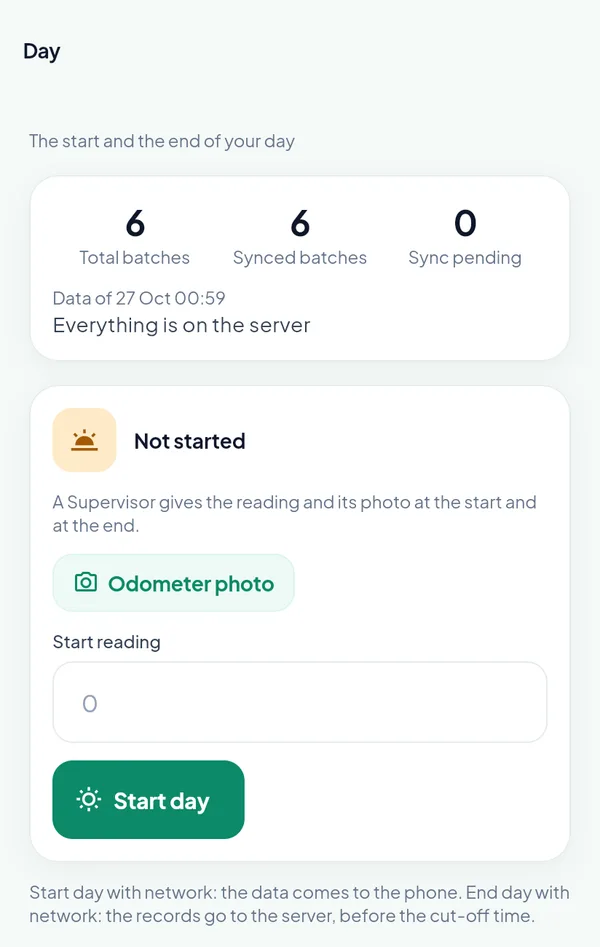
The Day screen. The odometer reading is mandatory for a supervisor; the kilometres of the day become his travel expense at End day.
The entry, top to bottom
Open the batch, tap Daily entry. The dark card at the top shows the date and the day of age, with the opening and closing birds. The arrows move a day back or forward, and on a farm with several sheds a chip picks the shed first. Below it the sections follow the order a supervisor walks the shed: what died, what was fed, what the birds weigh, water and temperature, medicines, photos, anything else, remarks.
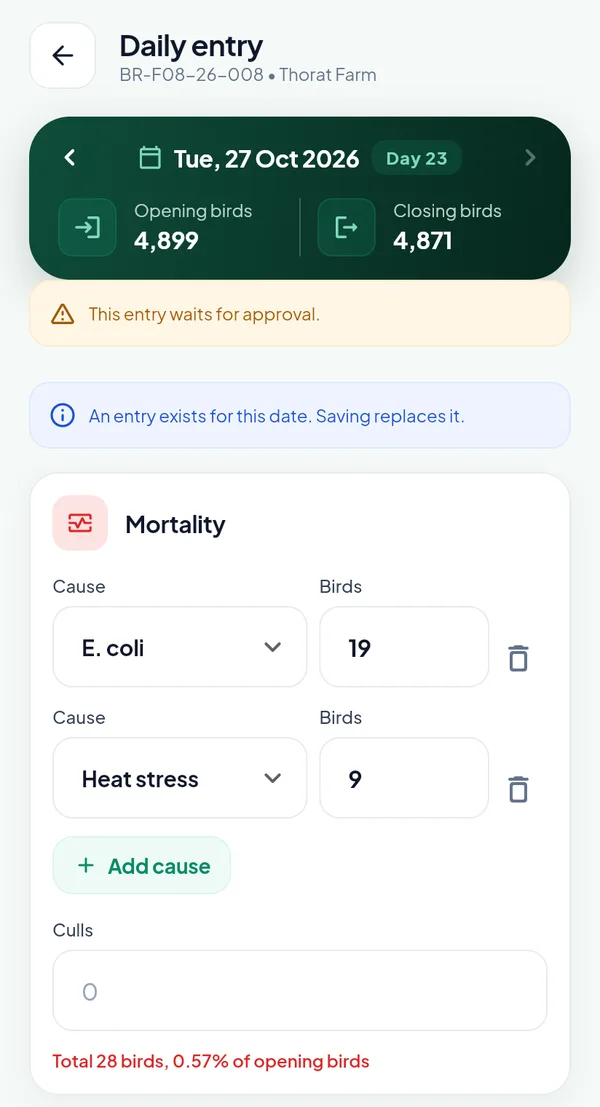
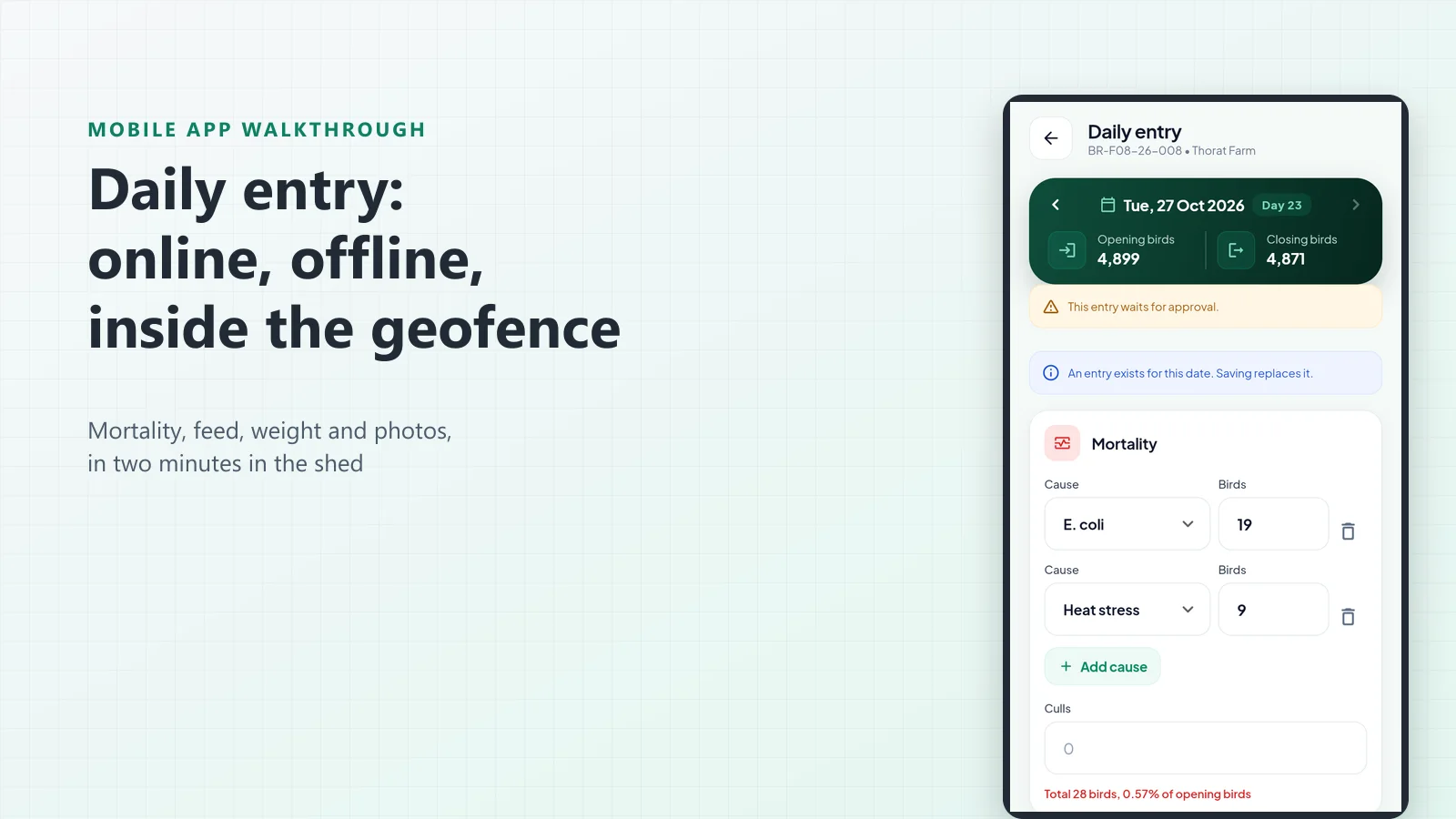
Day 23 of the batch. Two causes of death, 28 birds in all, and the red line already tells the supervisor that is 0.57 % of the opening birds.
Mortality by cause. Pick the cause, type the birds, add a second cause if there was one. The causes come from the owner’s master, so a vet reading the register later sees E. coli and heat stress, not “disease”. Culls have their own box. The app adds everything up against the opening birds as you type; a total above the birds in the shed cannot be saved.
Feed, in bags. Nobody on a farm counts feed in kilograms. The entry takes bags, converts them with the pack size of the material, and shows three things on one line: what the entry means in kg, what the standard chart expects on this day of age, and how much of that feed is on the farm. It also suggests the feed for the day. On day 23 that is the starter crumb, because the chart places the Starter stage from day 11 and the Grower from day 22, and this organisation’s nearest feed is the starter crumb. A suggestion only; the supervisor can pick any feed.
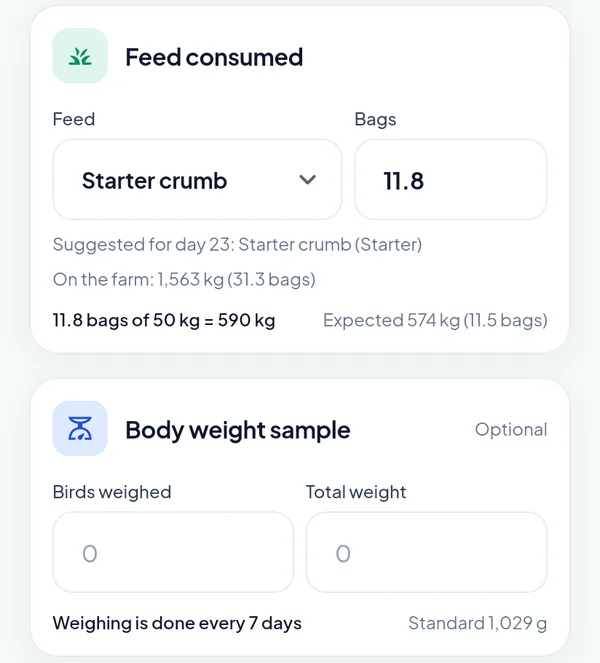
11.8 bags of 50 kg is 590 kg, against 574 kg expected. The farm holds 1,563 kg, which is 31 bags, so the entry does not run the stock negative.
That stock line matters more than it looks. With the feed stock ledger on, an entry that takes more feed than the farm holds is refused, or saved into negative stock if the owner allows it. Either way the farm’s book stock is kept by the same entry, so at closure the feed counted on the farm can be compared with the book and the shortage charged, without a second register.
Body weight sample. Weighing days come from the tasks of the batch, every seven days in this organisation. The supervisor types the birds weighed and their total weight; the app shows the average against the standard for the day, 1,029 g here. A weight more than 30 % off the standard is questioned before it is saved, which catches a missing zero more often than a sick flock.
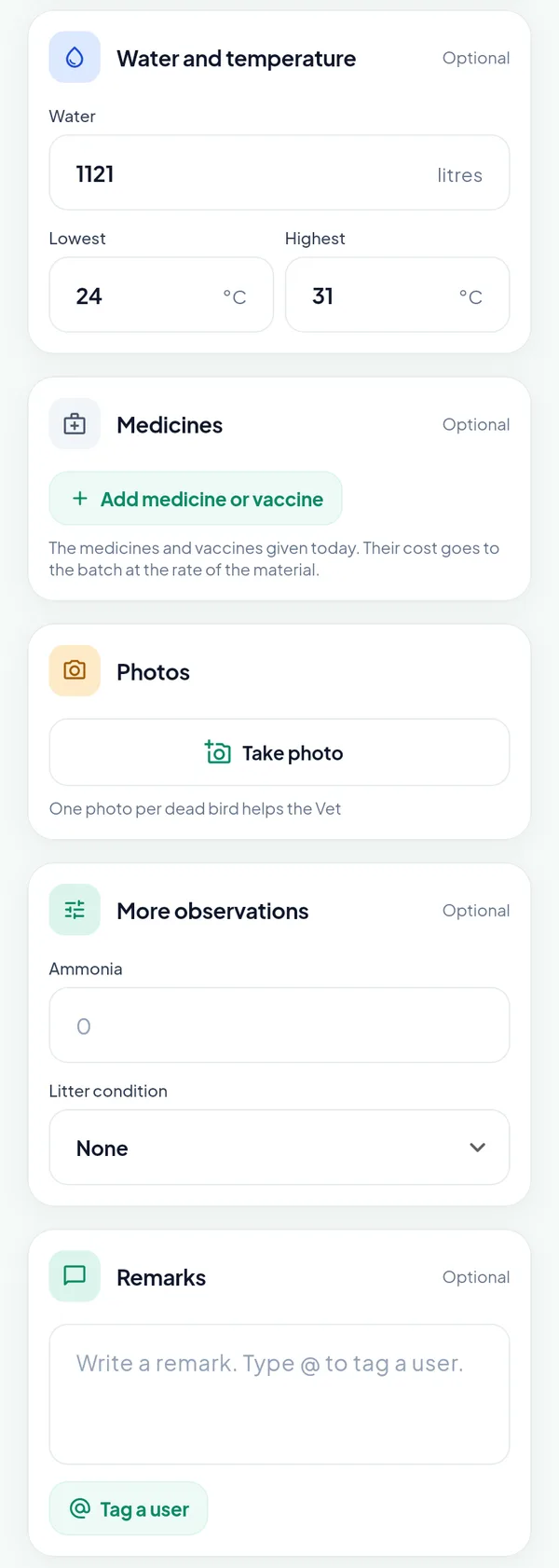
Water, temperature, medicines, photos, the owner’s extra fields and the remark. Type @ in the remark to tag a colleague, who gets an alert.
Medicines and vaccines are entered here too, by material and quantity. Their cost goes to the batch at the rate of the material, and a vaccine closes its line in the schedule, so the vaccine-due alert goes away by itself.
More observations are the owner’s own fields. The platform keeps a catalogue of extra fields, and each owner switches on the ones he wants, marks some as mandatory and sets their order. Thorat Farm records ammonia and litter condition. They appear as columns in the day register on the portal like any core field.
Tap Save entry. The phone asks for its location the first time; the entry is marked “In the farm” or “Outside the farm”, and an owner who switches on the geofence block can refuse entries from outside the radius. The app confirms the save, the Days tab gets its new row, and the live birds on the batch screen drop by 28.
One photo per dead bird
The photo button opens a sheet that asks what the photo shows: mortality, shed observation, cleaning, feed and water, litter, equipment, a bill or slip, or other. A mortality photo then asks the cause of death, pre-set to the first cause of the entry, and the camera reopens after every shot until the supervisor closes it, one bird per photo.
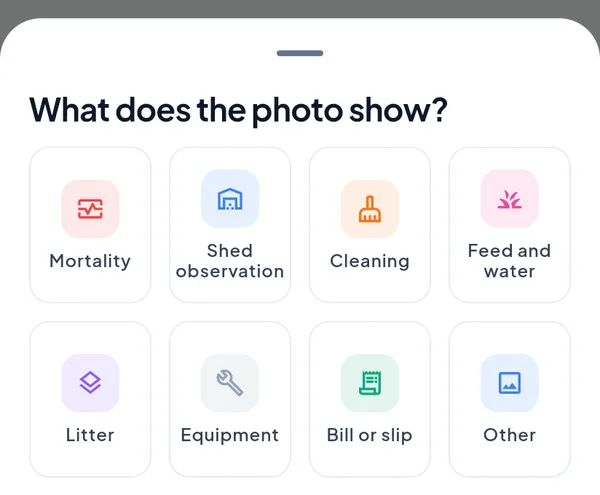
Every photo carries a tag, so the timeline and the registers can be filtered by what the picture shows.
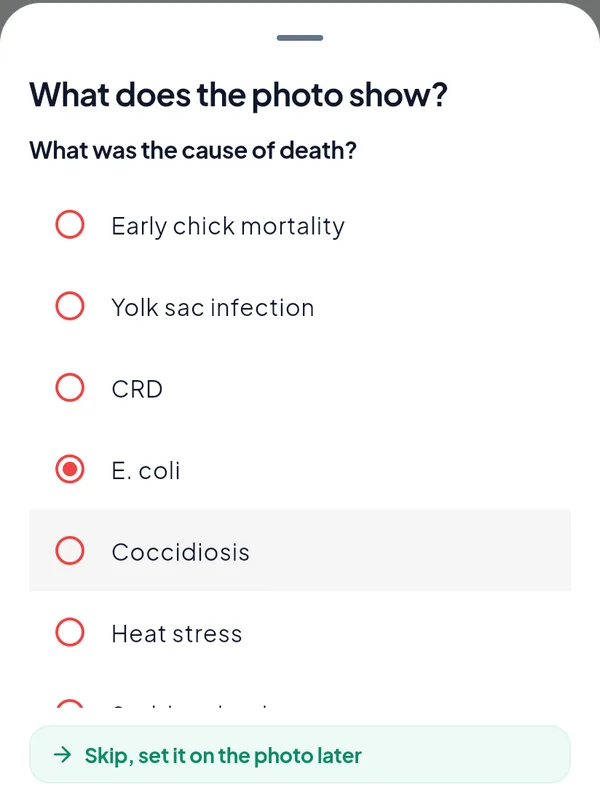
The cause on the photo. The vet confirms or corrects it later, and the labelled pictures are what the AI models of a later release will learn from.
This is deliberate friction, and it pays twice. The vet reading the alert sees the birds, not a number. And the organisation builds, day by day, a labelled picture library of its own mortality that nobody else has.
Days, approval and the record of changes
The Days tab lists the batch one row per day, newest first: dead, feed, the weight on weighing days, and the number of photos. A red calendar marks a day with high mortality. Because Thorat Farm is a contract farm and this organisation has approval on, day 23 shows Approve to the owner and the manager. Tapping it is the whole approval; the alert “entries wait for your approval” goes down by one.
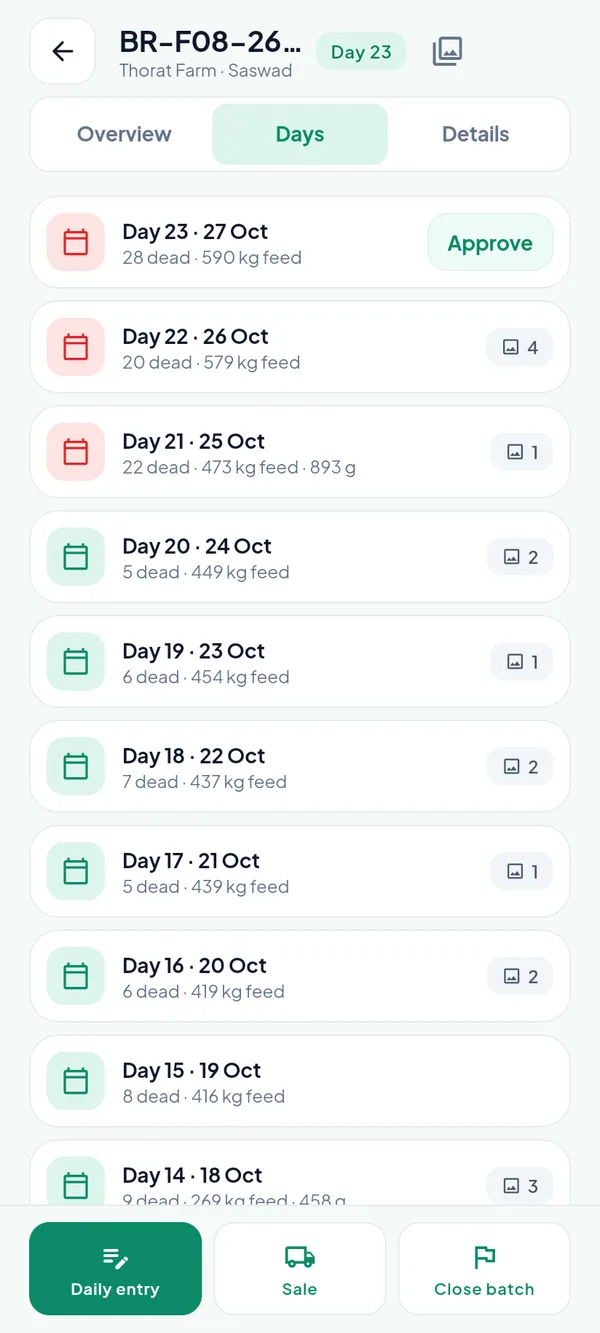
The Days tab. Days 21 to 23 are marked red for mortality; day 21 also carries the weekly weight of 893 g.
Waiting does not mean invisible. The figures of a waiting entry count in the KPIs at once, and the registers simply mark the days that wait. A supervisor can open any day in his edit window and correct it; the corrected entry waits again, and the record keeps who changed what, with each figure before and after. We will walk through approvals, the edit window and the compliance page in the next post.
The timeline beside the day shows the same days with their pictures, who entered them and whether the phone was in the farm, with the tasks done and the sales of the day in between.
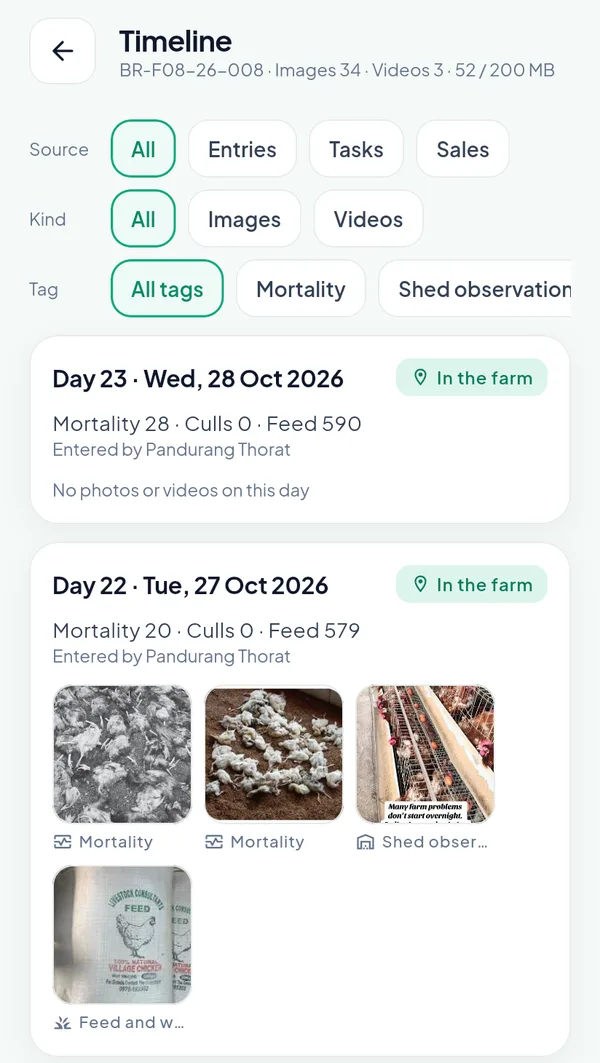
The timeline of the batch. 34 images and 3 videos so far, 52 of the 200 MB the batch may hold.
The evening: end the day
When the supervisor is back in signal he opens the Day screen, takes the end odometer photo, types the end reading and taps End day. The photos go up first, then the records that carry them, then fresh data comes back; the kilometres of the day become a travel expense spread over the batches he entered, waiting for the owner. Anything the server refuses, for instance an entry outside the edit window, lands under Unsent with its reason, to fix and send again or discard.
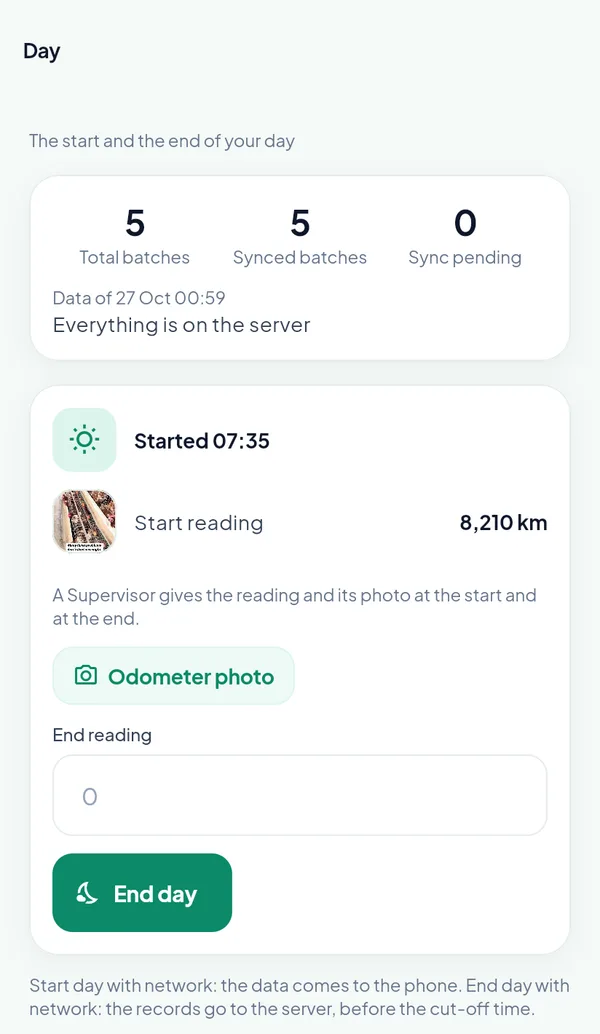
The Day screen in the evening. The end reading cannot be below the start.
End day should happen before the organisation’s cut-off time, because that is when the server decides which sheds have no entry for the day and sends the missed-entry alert.
What the owner sees before lunch
The owner does not read entries. He reads what the entries trigger. A high-mortality alert appears the moment an entry crosses the threshold in the settings, with the batch and the farm in it; the alert list also carries the entries waiting for approval, feed on the way to confirm, vaccines due and tasks due.
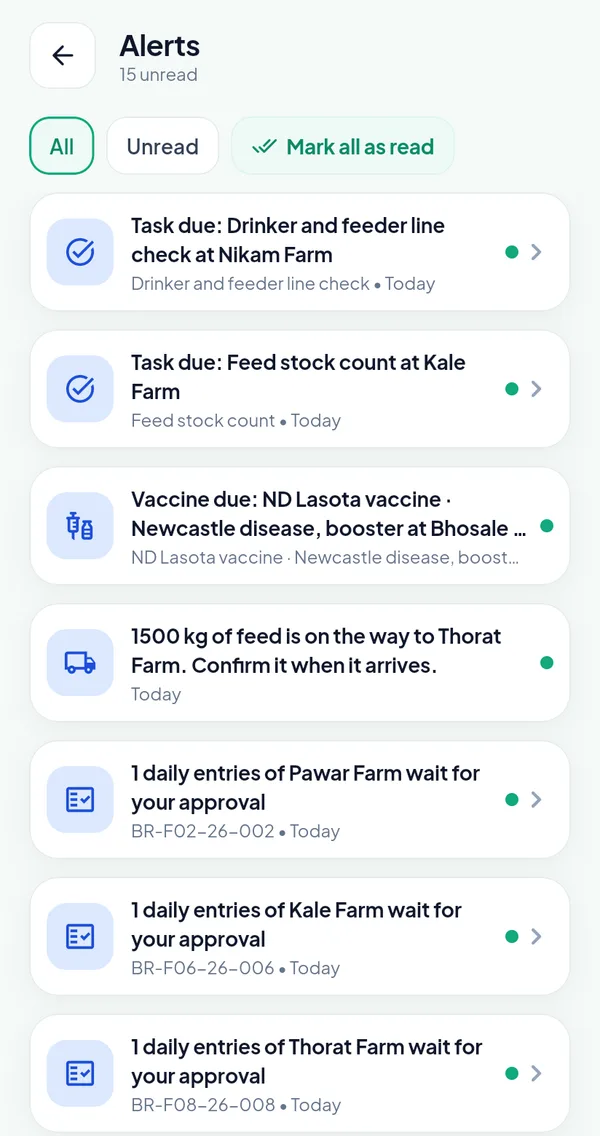
Fifteen unread alerts on the owner’s phone, most of them actions rather than news.
On the portal, the Compliance page reduces the whole organisation’s discipline to five tiles: missed entries, pending today, entries outside the farm, awaiting approval, missed tasks. Each opens its list.
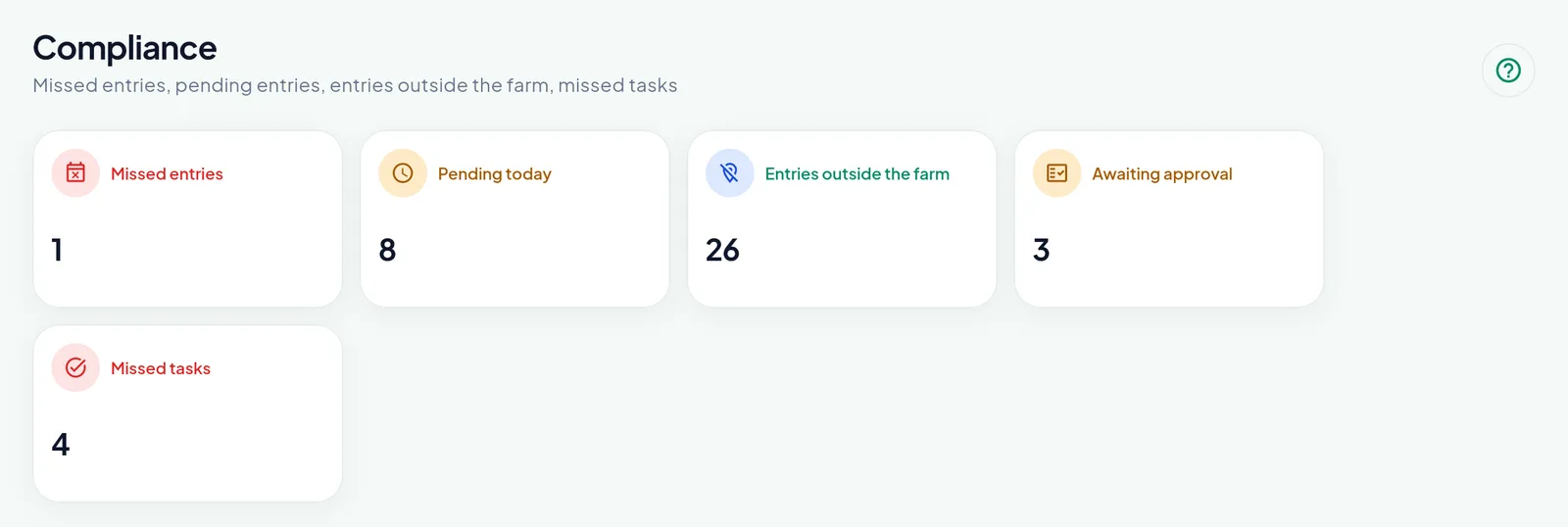
Compliance on the owner portal. One missed entry across fifteen batches is a good day.
Why two minutes is the target
A daily entry that takes ten minutes gets done at the end of the day from memory. One that takes two gets done in the shed, with the dead birds still in front of the camera. Everything in the screen serves that: bags instead of kilograms, the feed of the day suggested, the standard shown next to the weight, the causes as a list, the photos tagged on the way in, and nothing lost when the signal goes. The checks that matter, birds within the opening count, feed within the stock, a weight that is plausible, happen as the supervisor types, not in an audit six weeks later.
Frequently asked questions
Does the daily entry work without network? Yes, between Start day and End day. The entry is saved on the phone with its photos and shows at once in the batch; it goes to the server at End day, or by itself as soon as the network answers. A sale, a purchase, a placement or a token purchase still needs network.
What if a farm has more than one shed? The entry names its shed, and the app ticks the sheds already entered for the day. The day of the batch adds its sheds up: mortality, culls, feed, water and medicines are sums, the weight is the mean by the birds weighed.
Can a supervisor change yesterday’s entry? Within the edit window the owner sets, three days by default. After that only the owner or a manager can. Every change keeps who changed it, when, and each figure before and after.
Does the owner have to approve every entry? Only if the setting “Daily entry approval required” is on. Then the entries of supervisors and contract farmers wait, while the owner’s and the manager’s count at once. A changed entry waits again. The figures of a waiting entry already count in the KPIs; the registers mark them.
What happens when a photo fails to upload? The entry is not saved without its photos, and the figures stay on the screen. With the day started, the photos simply wait on the phone with the entry and go up first at End day, before the record that carries them.
See it with your own supervisors
The fastest way to judge a daily entry screen is to hand the phone to the person who will use it. Book a demo and we will place a batch on one of your farms in a sandbox organisation and let your supervisor enter a day. The Broiler Integration Management module page describes what the entries feed, from the farm league to the branch P&L, and the platform features page covers the roles, approvals and alerts around them. If you missed it, the previous post in this series walks through how a contract batch is settled once the entries are in.