Poultry feed stock: receipts, transfers, days of cover
How the PoultryOS stock ledger follows every bag of feed from the supplier to the warehouse, from the warehouse to the farm and into the daily entry, and warns a farm before it runs out.
PoultryOS Team · Product and implementation team
Feed is most of the cost of a broiler batch, and it is the one cost that moves around before anyone eats it. It arrives at a warehouse, goes out on a truck, sits in a shed, and a week later somebody asks where 40 bags went. In contract broiler farming the question has a second edge, because feed missing at the farm is deducted from the farmer’s growing charge, and a deduction nobody can show line by line is an argument. PoultryOS, a poultry ERP built around the batch, keeps a stock ledger of feed, medicines and vaccines for every warehouse and every farm, fed by the same daily entry the supervisor already types. Good poultry feed management starts with knowing where the feed is.
This post follows the feed of the sample organisation, Shree Agro Integration, from a supplier’s truck to one batch, with the numbers on its screens.
Poultry feed stock management starts with one switch
The ledger is a choice of the Owner. A new organisation starts with it off: the feed of each daily entry is still recorded for the FCR, purchases are costs only, and the Stock cleared step of the closure completes by itself. On the Features tab of the Settings the Owner switches on Material stock ledger, and beside it Confirm feed delivery at the farm.
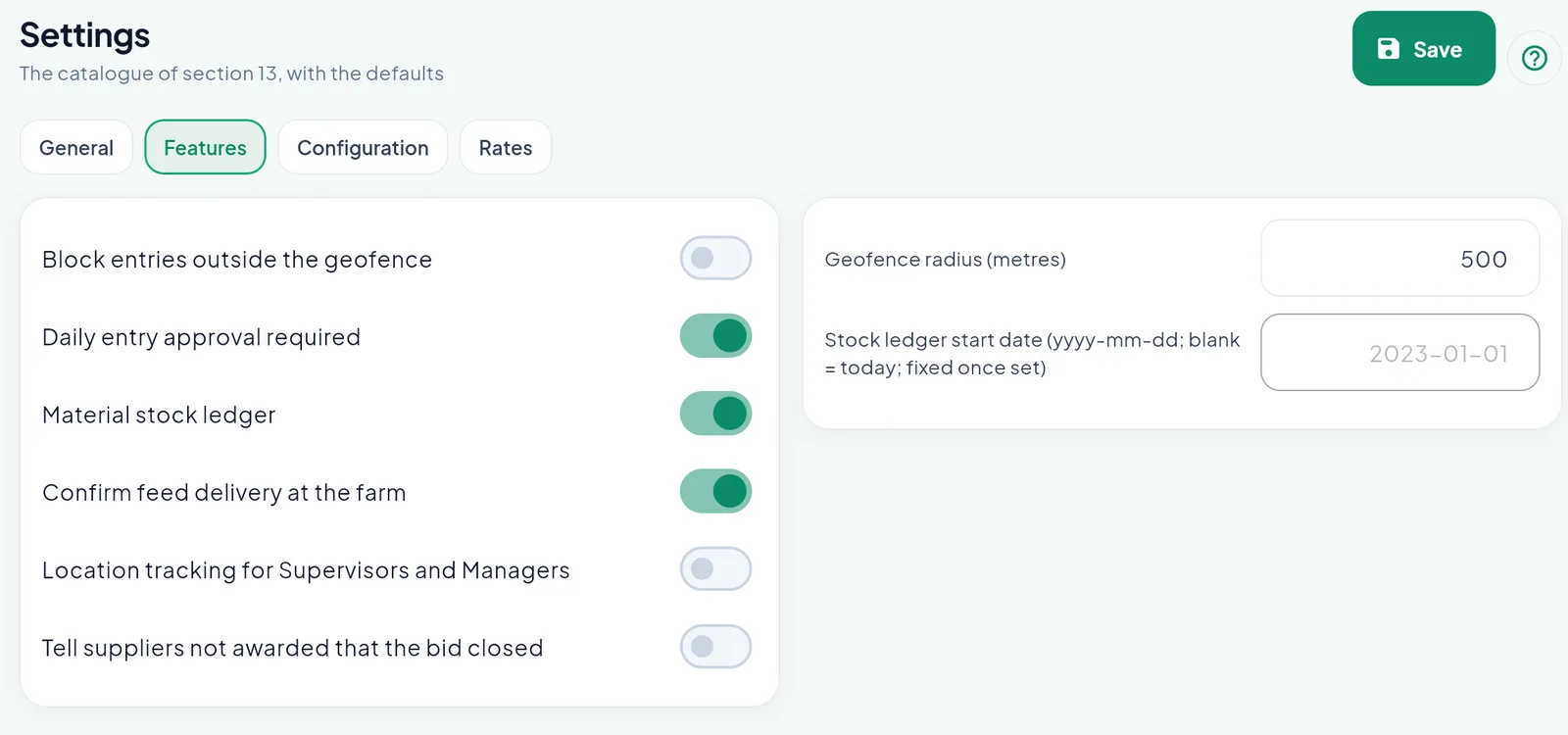
Three switches on in Shree Agro: approval of the daily entries, the stock ledger and the confirmation of deliveries at the farm.
The Stock ledger start date is typed once, when the ledger goes on, so that entries dated before today count in the stock; blank means today, and it cannot change later. Two more settings sit on the Configuration tab: whether stock may go negative (off by default) and the days of cover below which a farm is low on feed.
The Stock page: what every place holds
With the ledger on, Stock appears in the menu of the portal. Four tiles sit on top, and below them one row per place and material: bags, stock, average rate, value and the days of stock of a farm.
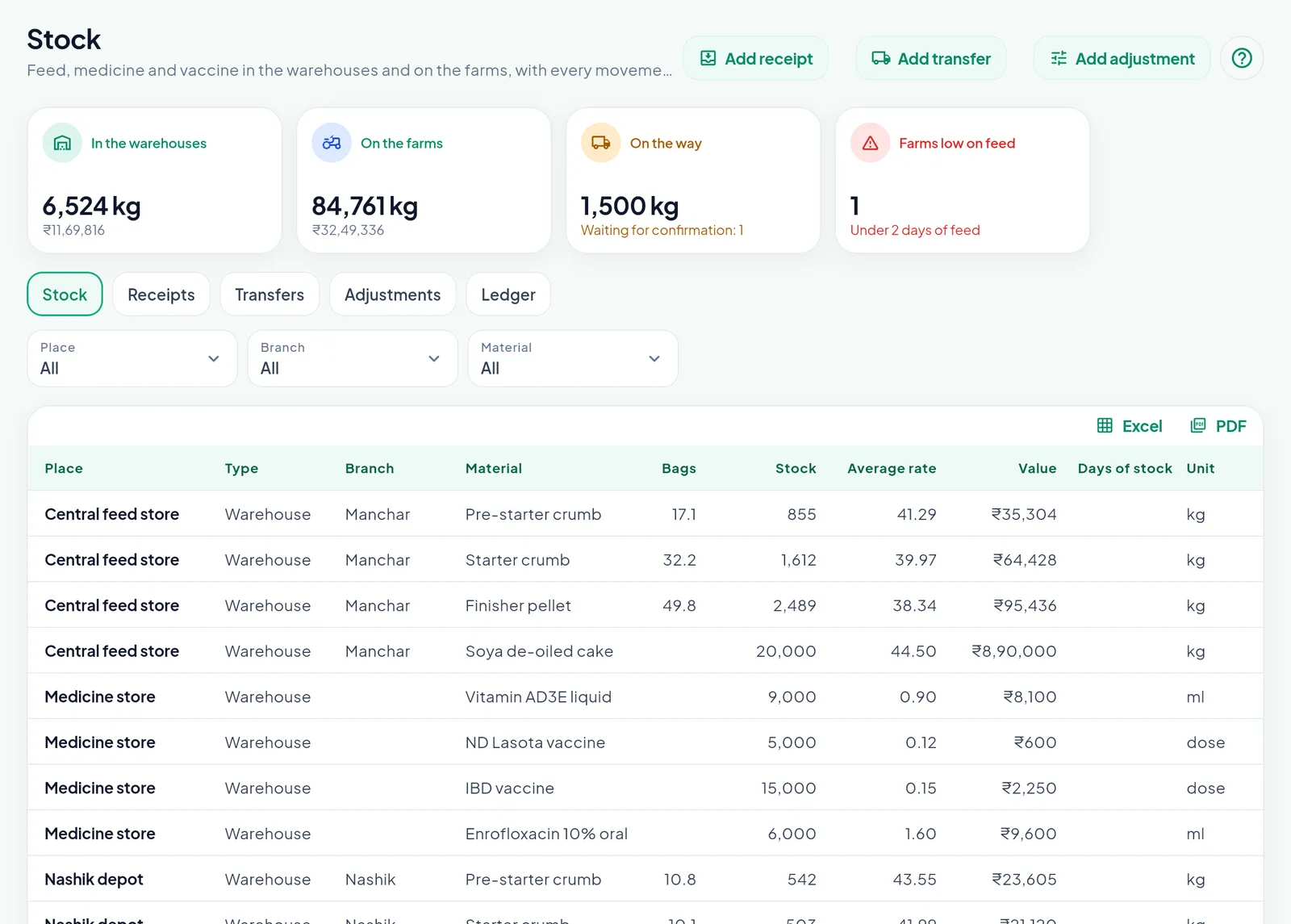
6,524 kg of feed in the warehouses, 84,761 kg on the farms, 1,500 kg on a truck and one farm under two days of feed.
The Central feed store at Manchar holds 32.2 bags of Starter crumb, 1,612 kg, at an average of ₹39.97 a kg, worth ₹64,428. Feed is kept in kg and typed in bags by the bag weight of the feed, 50 kg here. Medicines and vaccines keep their own units: 9,000 ml of Vitamin AD3E liquid, 5,000 doses of ND Lasota vaccine. Every value is at the weighted average rate of that place.
Nothing is stored twice: the stock is always what the receipts, transfers, adjustments and daily entries add up to, so a correction flows into every later balance by itself. The views Receipts, Transfers, Adjustments and Ledger show the movements behind each figure.
Receipts: feed comes in
Add receipt brings feed in at a warehouse or directly at a farm. A receipt from a supplier names the supplier and the bill and also books the purchase bill, so stock and accounts never disagree about what came in. Feed from the organisation’s own feed mill is a goods inward with a rate and no bill. Only the Owner and the Managers enter receipts, on the portal.
When the feed was bought through the supplier bidding, the receipt is made against the purchase order: the supplier and the lines come from the order, and each line takes the measured value of its specs.
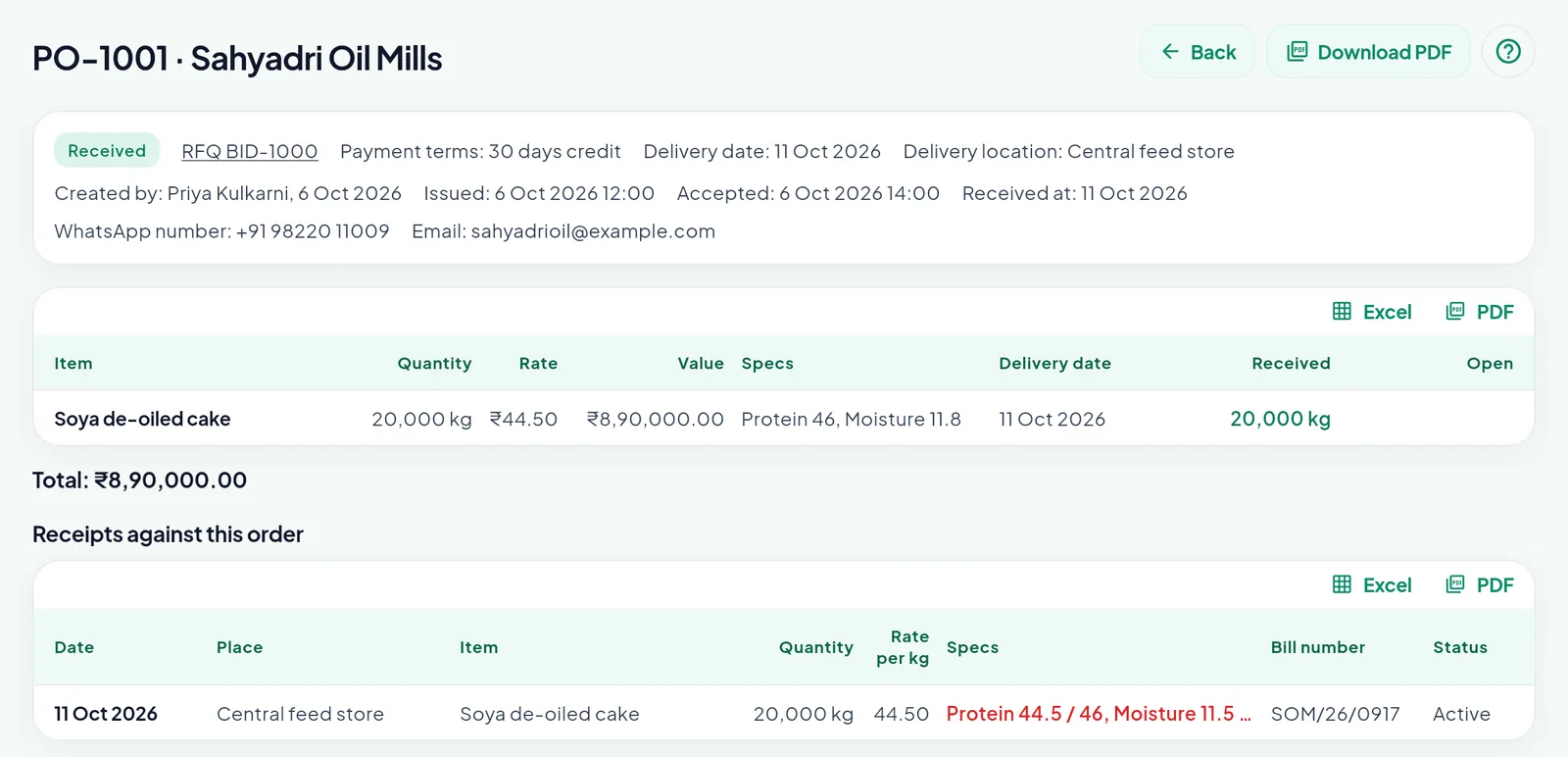
20,000 kg of soya de-oiled cake at ₹44.50 received at the Central feed store on 11 October. Protein 44.5 against 46 quoted shows in red.
The red figure supports a debit note made by hand; nothing is deducted by itself.
Transfers: feed on the way
Add transfer moves feed from a warehouse to a farm, from farm to farm, or from a farm back to a warehouse. The dialog shows the stock of the sender, and a transfer above it is refused unless negative stock is allowed. The feed leaves at the average rate of the sending place and carries that rate with it.
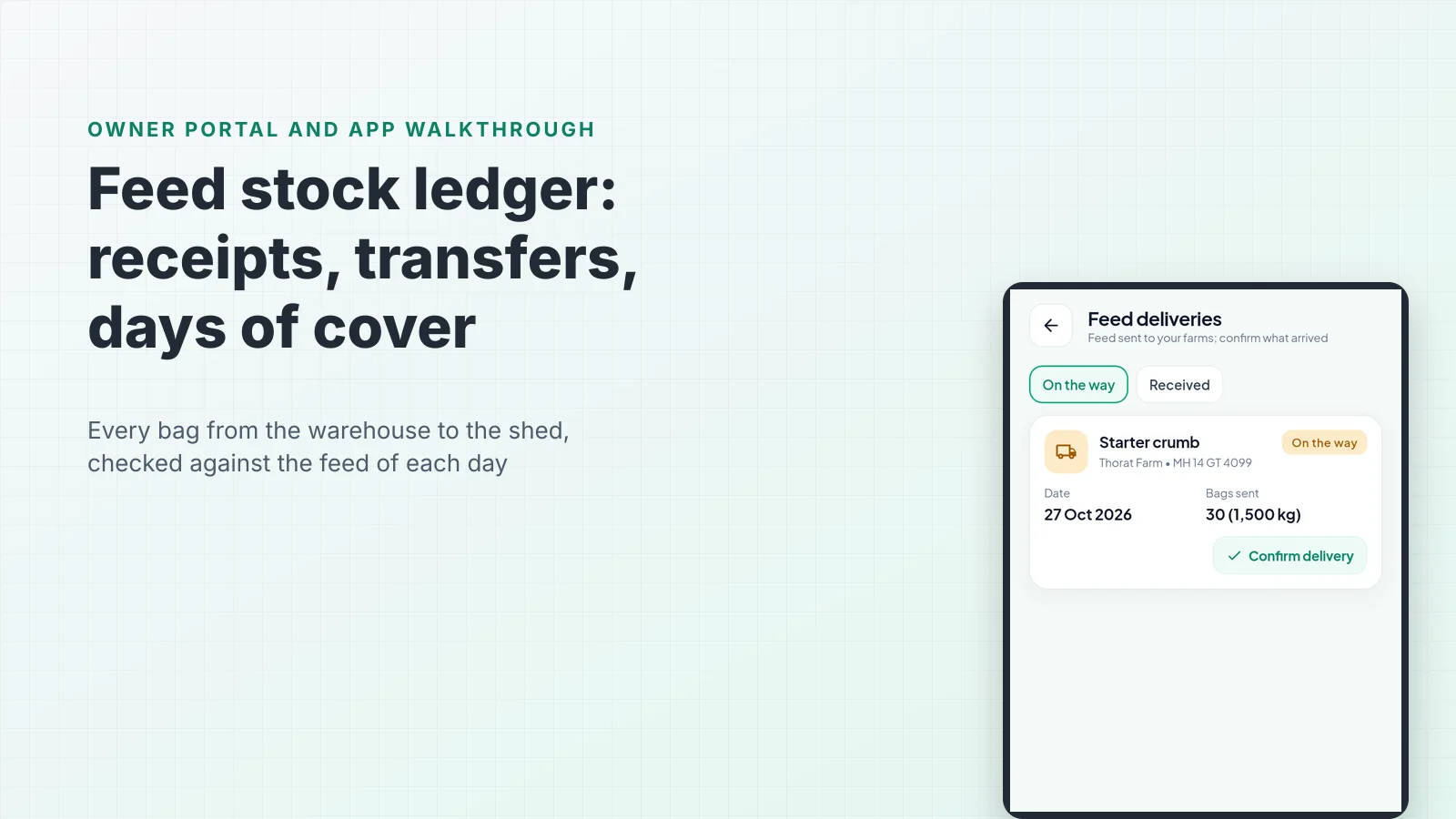
With delivery confirmation on, a transfer to a farm is On the way: it belongs to neither place until the farm says how much arrived. Shree Agro sent 30 bags of Starter crumb, 1,500 kg, to Thorat Farm on truck MH 14 GT 4099. The tile On the way shows the 1,500 kg, and the people of the farm see an alert.
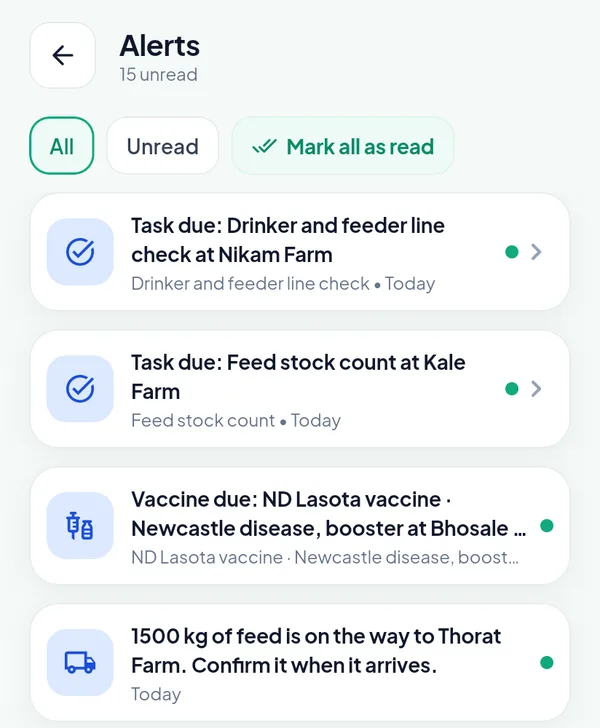
“1500 kg of feed is on the way to Thorat Farm. Confirm it when it arrives.” Above it, a scheduled feed stock count at Kale Farm.
The farmer or the supervisor of the farm opens Feed deliveries from More and taps Confirm delivery. They type the bags received and the day the truck came: Received on starts at the day it was sent and can move up to today, so a late confirmation does not date the feed after the birds ate it.
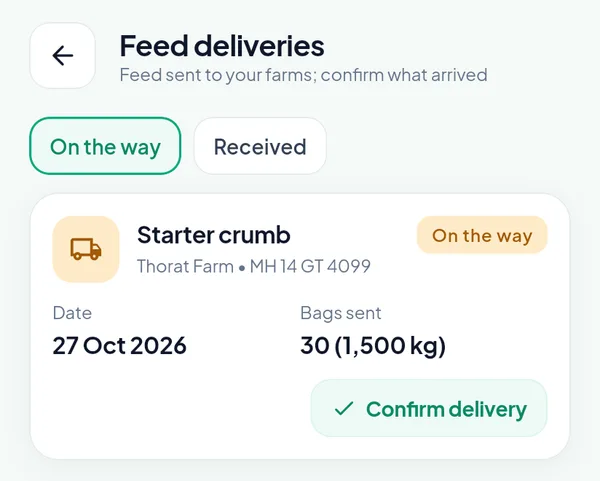
30 bags sent. If 29 arrive, the missing bag is the shortage of the transfer, on the record of that truck.
The Owner or a Manager can confirm it on the Stock page too.
The daily entry draws the farm’s stock down
The supervisor never types a stock movement: the feed of the daily entry is the consumption, and the entry shows the feed on the farm.
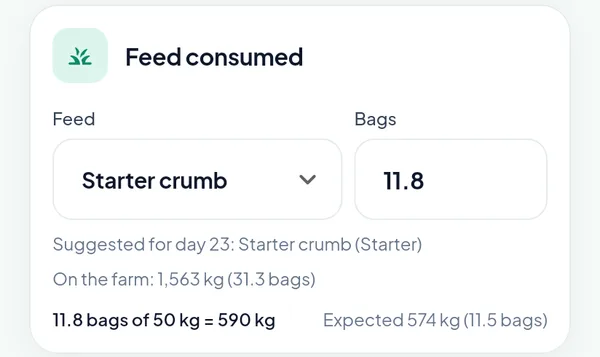
1,563 kg of Starter crumb on the farm; 590 kg used today against 574 kg expected by the chart.
With negative stock off, an entry that uses more feed, medicine or vaccine than the farm held on its day, or on any later day, is refused. The check runs on the date of the entry, not on today, so a back-dated day cannot borrow feed that arrived a week later.
Feed movement: one batch, day by day
On the owner portal the batch page has a Feed movement tab: one row per day, each material of the farm on its own line, with opening stock, inward, consumed, out, adjustment and balance. Here is batch BR-F08-26-008 at Thorat Farm.
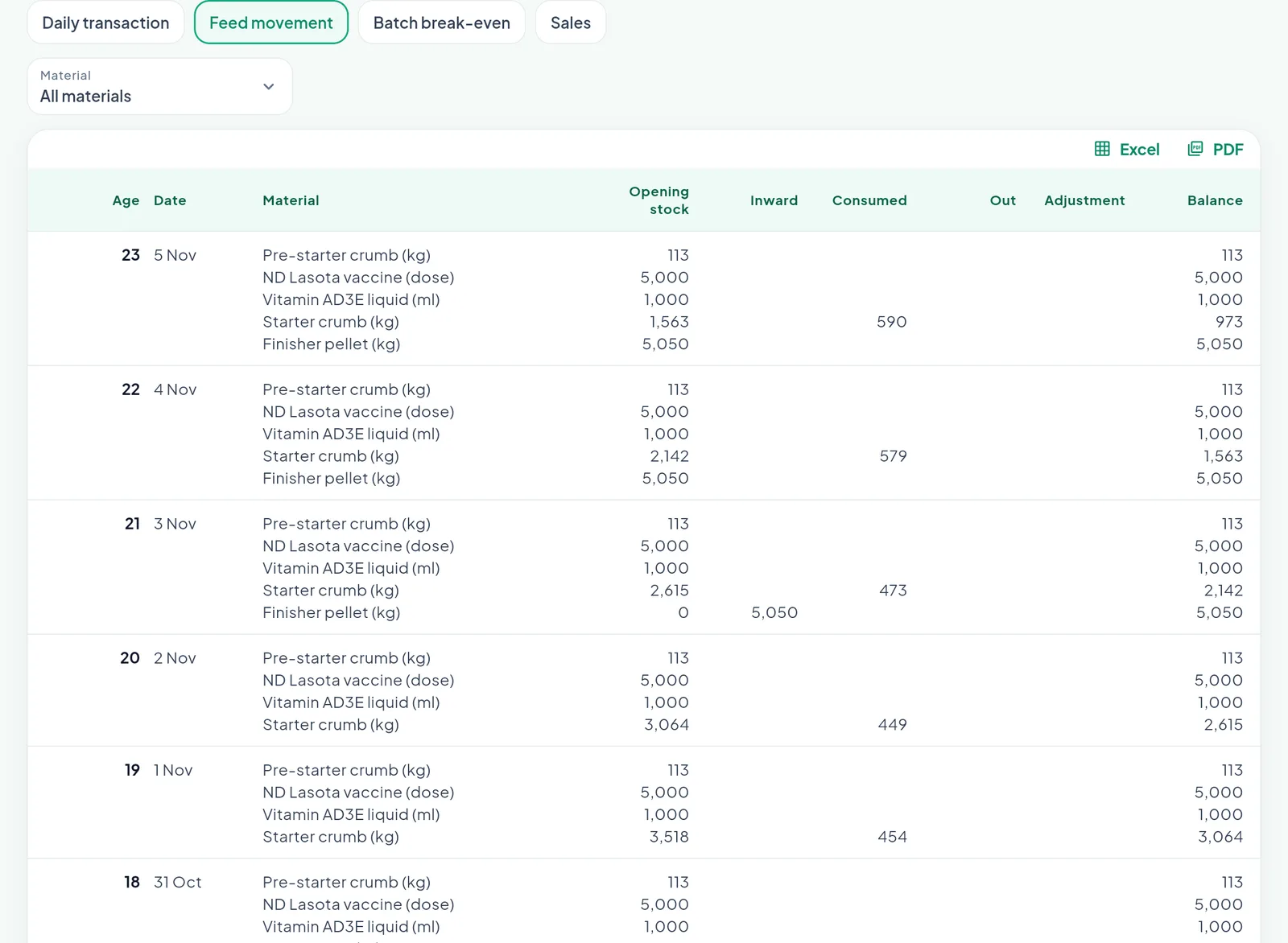
Starter crumb from 3,955 kg to 973 kg in six days; 5,050 kg of Finisher pellet in on day 21, ready for the change of feed.
The worked example reads straight off the table. On 31 October, day 18, the farm opened with 3,955 kg of Starter crumb. The birds ate 437, 454, 449, 473, 579 and 590 kg over the six days to 5 November, 2,982 kg in all, which leaves 973 kg on the evening of 5 November, the balance on the last line. On 3 November, day 21, 5,050 kg of Finisher pellet came in, and its own line starts in the table that day.
Every green number opens its receipt, transfer or adjustment; a Consumed figure opens the daily entry of that day.
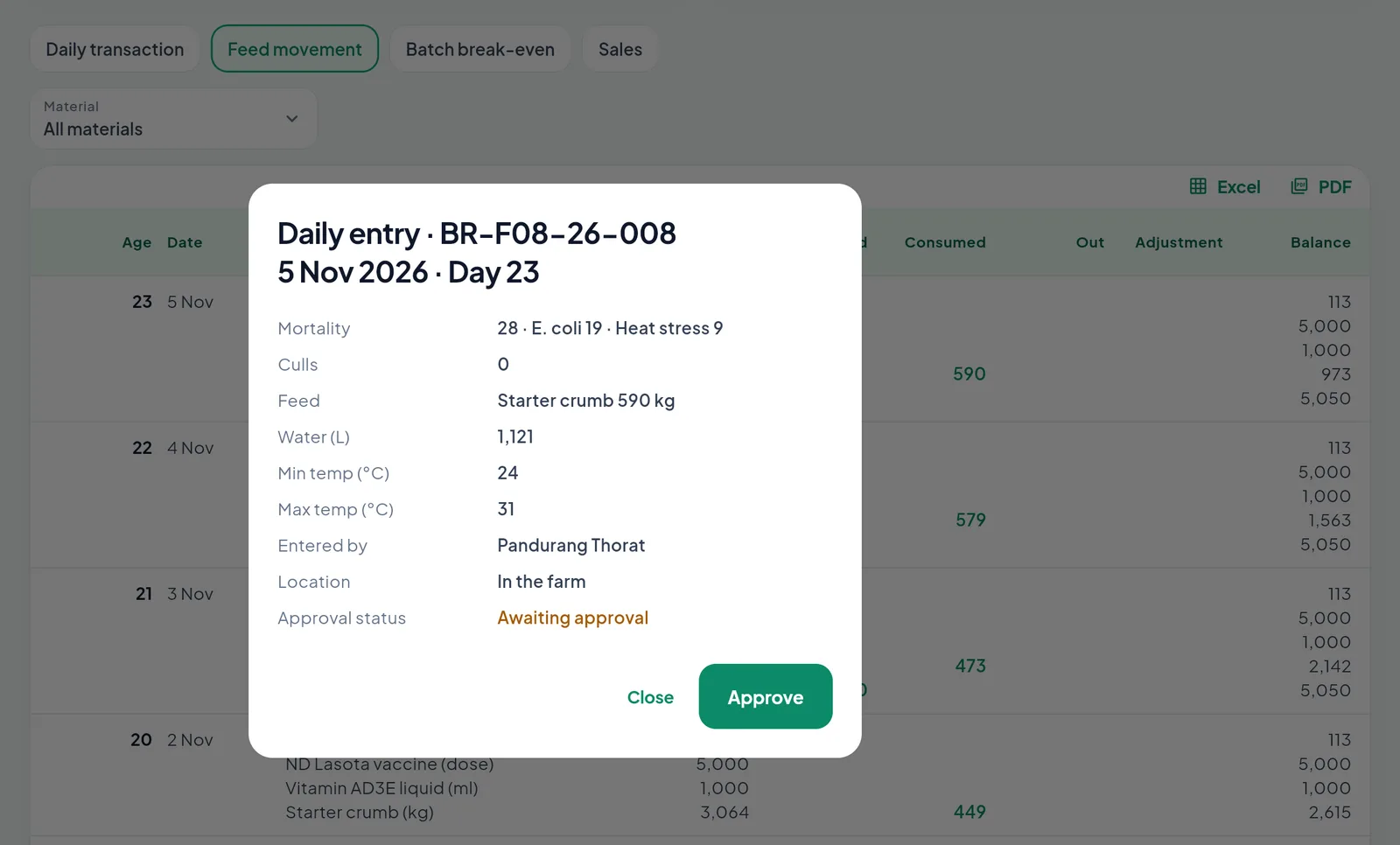
The 590 kg of day 23 opens the entry that used it: entered by Pandurang Thorat in the farm, still awaiting approval.
Days of cover and the low feed alert
The days of cover of a farm are its feed in stock divided by the average feed a day over the last three days of entries of its open batch. A farm with 1,000 kg that used 480, 500 and 520 kg on its last three days has two days of cover. Below the limit in the Settings, two days in Shree Agro, the farm counts in the tile Farms low on feed, shows in red in the Days of stock column, and raises a Low feed stock alert. The rule is simple on purpose: it tells a branch manager which farm needs a truck before the supervisor has to phone for one.
Adjustments, corrections and the closure
Everything a person decides is an adjustment with a reason: opening stock, excess, shortage, damage, or a return to the supplier. All but opening stock need a note. A return takes the stock away and books a credit against that supplier.
Mistakes are corrected where they were made: the Owner or a Manager opens a receipt, transfer or adjustment, changes its figures or cancels it with a reason. The box Stock after this change shows, for every place and feed touched, the stock now, after the change, and the lowest point on a later day. A change that would push a later balance below zero is refused unless negative stock is allowed. A changed quantity, feed or destination of a transfer sends it back On the way, so the farm confirms it again. Every change keeps who made it, when, and the figures before and after.
The closure is where the ledger meets the growing charge. At Stock cleared the feed counted on the farm is typed; the book less the count is the shortage. It leaves the stock as an adjustment, and on a contract farm it is the feed shortage deduction of the growing charge statement. More feed than the book is an excess and is added.
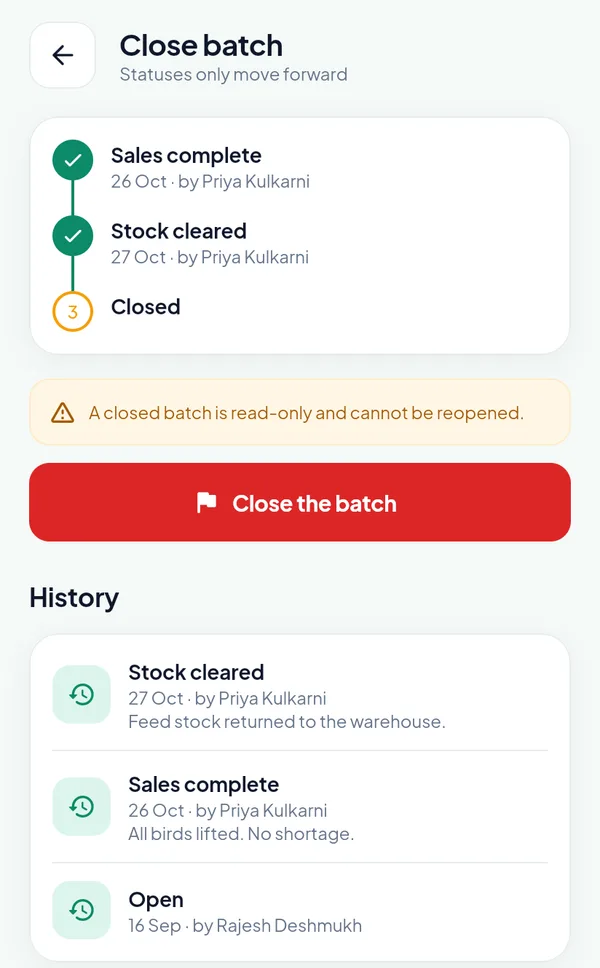
An own-farm batch: stock cleared on 27 October with the note “Feed stock returned to the warehouse”.
After a Stock cleared, the movements of that farm on or before its date are locked, so a settled batch cannot be reopened through its feed. One rule does not change with the ledger: the feed cost of a batch stays the feed eaten at the feed rate of the batch, so turning the ledger on does not rewrite a single P&L.
Frequently asked questions
Can PoultryOS be used without the stock ledger? Yes. A new organisation starts with the ledger off. The feed of each daily entry is still recorded for the FCR, purchases are recorded as costs only, and the Stock cleared step of the closure completes by itself. The Owner switches the ledger on in the Settings of the portal when the warehouse and the farms are ready to be counted.
Who confirms a feed delivery at the farm? The farmer or the supervisor of the farm, in the app, or the Owner or a Manager on the Stock page. With the setting Confirm feed delivery at the farm off, or for a warehouse, the feed is received at once.
How are the days of cover of a farm worked out? The feed on the farm divided by the average feed a day over the last three days of entries of its open batch. A farm below the limit in the Settings (two days in the sample organisation) is counted on the Stock page and raises a Low feed stock alert.
Does the stock ledger change the feed cost of a batch? No. The feed cost of a batch stays the feed eaten at the feed rate of the batch. The ledger values the stock at the weighted average rate of each place, and a purchase receipt books the supplier’s bill.
Can a wrong receipt or transfer be corrected? Yes. The Owner or a Manager opens the row, changes its figures or cancels it with a reason. The dialog shows the stock now, after the change and at its lowest point on a later day, and refuses a change that would take a later balance below zero unless negative stock is allowed. Every change keeps who made it, when, and the figures before and after.
Count your own feed
A stock ledger is only as good as the first count that goes into it. Book a demo and we will set up a sandbox organisation with your warehouse, two of your farms and an opening stock, so your store keeper and a supervisor can follow one truck from receipt to the daily entry. Poultry management software records the feed; a poultry ERP that knows where every bag is turns a feed shortage from an argument into a line on a statement. The Contract Broiler Farming (CBF) Software module page shows the rest of the batch cycle, and the earlier posts cover placement to lifting, where the feed of each day is suggested, and the growing charge settlement, where a feed shortage is deducted.